Nothing happens without you
Every pick is shown before it is added. The cart stays in your store's app, and checkout is yours. It cannot place an order, and it cannot take payment.
Peristyle Grocery Cart lets your AI assistant do the grocery run. Ask for a dish, and it finds a real creator's recipe, matches every ingredient to a product at your Kroger or Walmart, and fills the cart. You check out in the store's own app, the way you already do.
Peristyle Grocery Cart
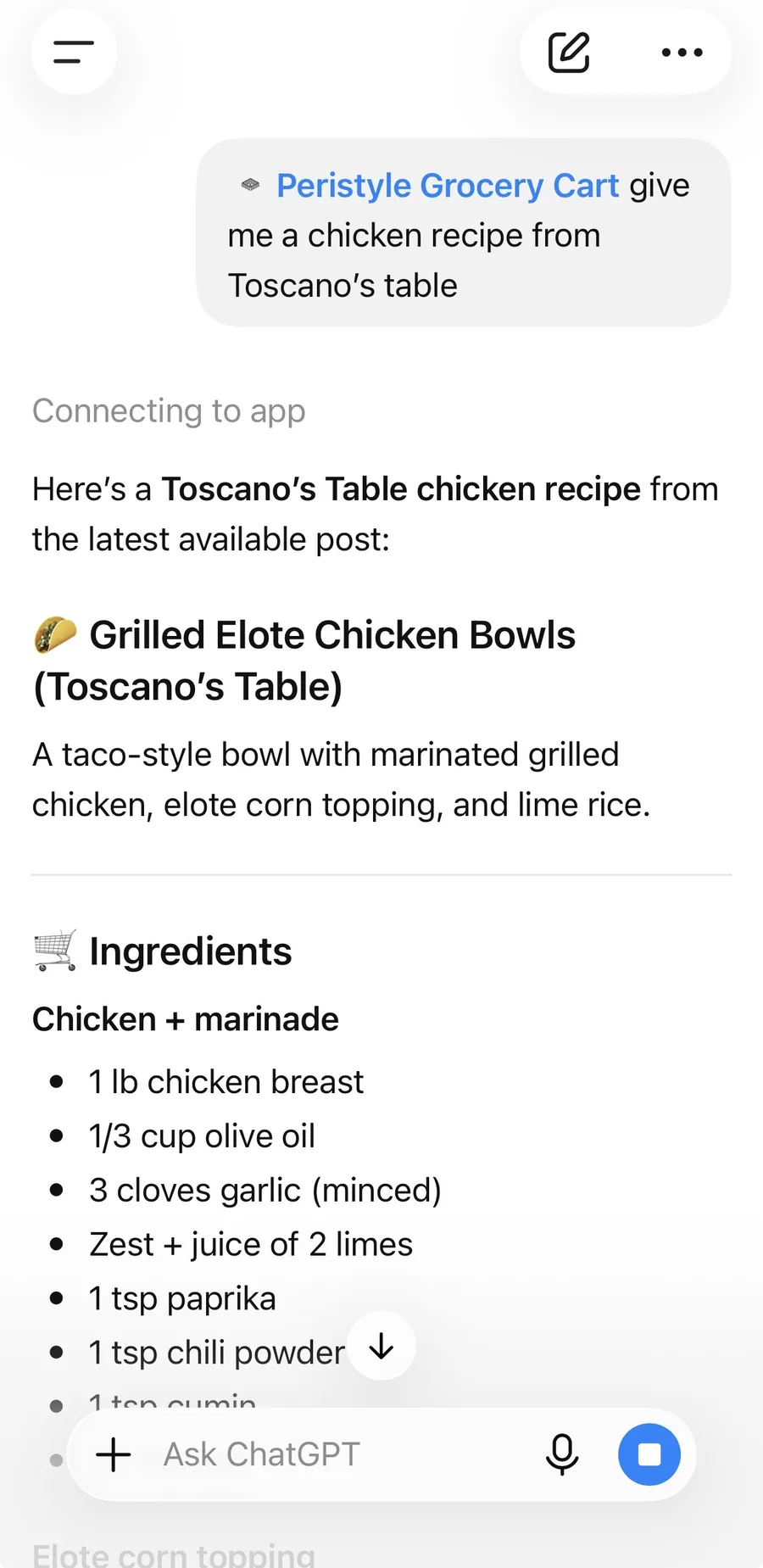
Grilled Elote Chicken Bowls
Toscano's Table
Credited to Toscano's Table
A connector that gives ChatGPT, Claude, or any assistant that speaks the open MCP standard three things it did not have: a catalog of recipes from real food creators, product search at your grocery store, and a way to put things in your cart.
Put those together and a sentence like "shop this for Sunday" becomes a filled cart.
The gap between seeing a recipe and eating it is where good intentions die. Not the cooking. The part before it.
You find a recipe. You scroll past the preamble. You type the ingredients into a notes app, guess at quantities, check the pantry, forget the cotija, and go to the store anyway. By Wednesday the plan is pasta again.
Peristyle Grocery Cart collapses that whole stretch into one message. The recipe you were already reading becomes the cart you were going to build by hand. What is left is the part you actually wanted: cooking something good.
Before
After
Every pick is shown before it is added. The cart stays in your store's app, and checkout is yours. It cannot place an order, and it cannot take payment.
Your store, diet, and brand preferences stay on your own device. The pantry is off until you turn it on. Peristyle never sees a card number, because it never touches checkout.
Every recipe carries its creator's name and a link home, and each shopped cart is attributed to them. Cooking from a person's work should count for that person.
Pantry apps die the same way: you are asked to count eggs, and by week two you have stopped. This one never asks for a count.
Your pantry
Last cart: Grilled Elote Chicken Bowls
Did you get everything?
Three steps. The first one you do once.
In ChatGPT it is one click. In Claude, Cursor, or anything else that supports MCP connectors, you paste one URL. The setup guide walks through each.
Name a dish, a mood, or a creator. Ask for the ingredients at your store. It shows you the picks; you say yes, or change one.
Shopping at Kroger for the first time? It hands you a Kroger sign-in link, you approve it once, and from then on items go straight into your Kroger cart.
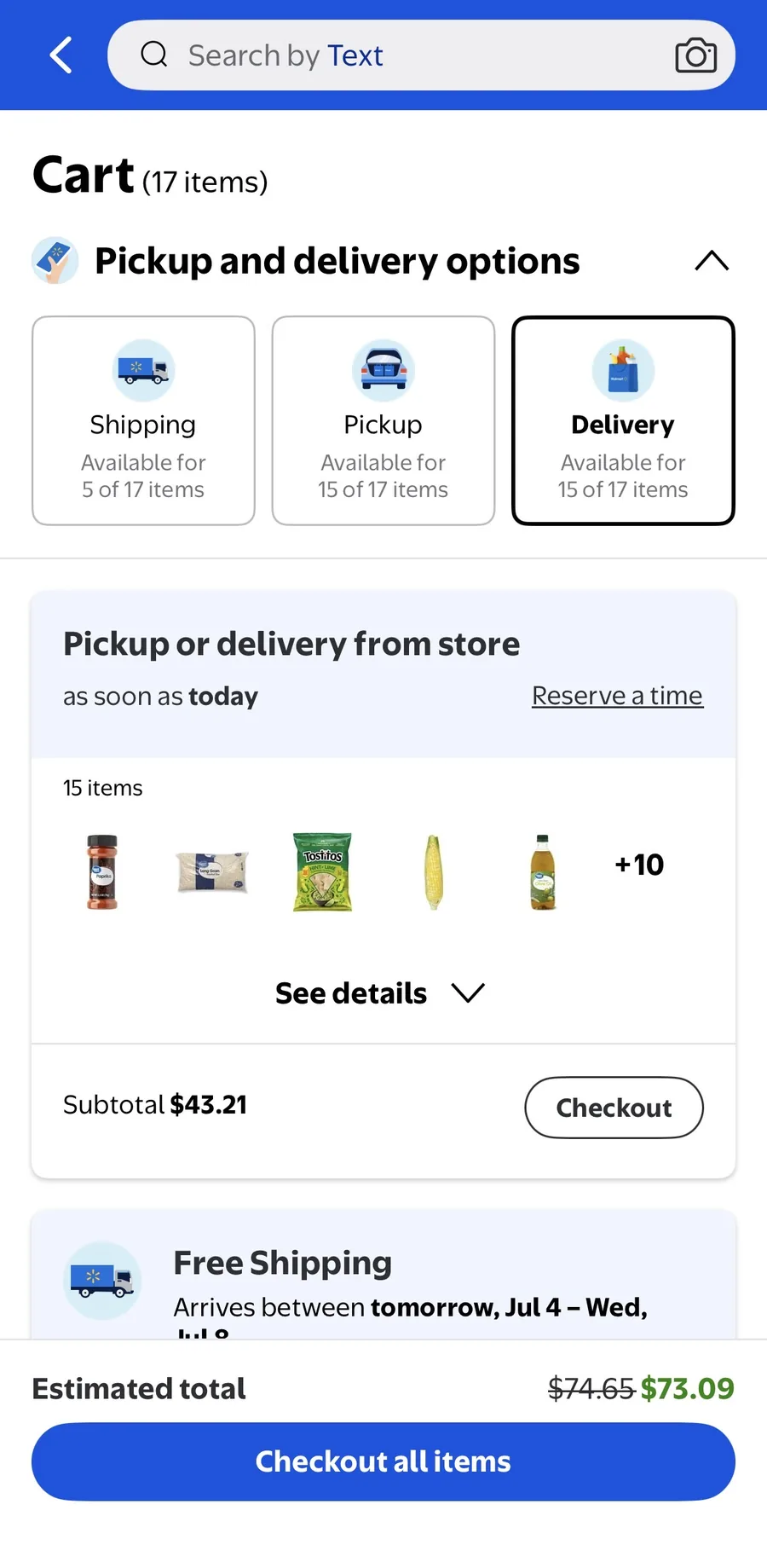
Open the Kroger app or the Walmart link, look the cart over, pick pickup or delivery, and pay. Next time, tell it what you actually bought and the pantry gets smarter.
These only work once the Grocery Cart is added to your assistant, so do step one first. Then copy any of these, or open one straight into a new chat. Each shows off a different part.
Shop a recipe
Using the Peristyle Grocery Cart, find a weeknight chicken recipe, match its ingredients to products at my grocery store, show me what you picked, then put everything in my cart.
Cook from a creator you follow
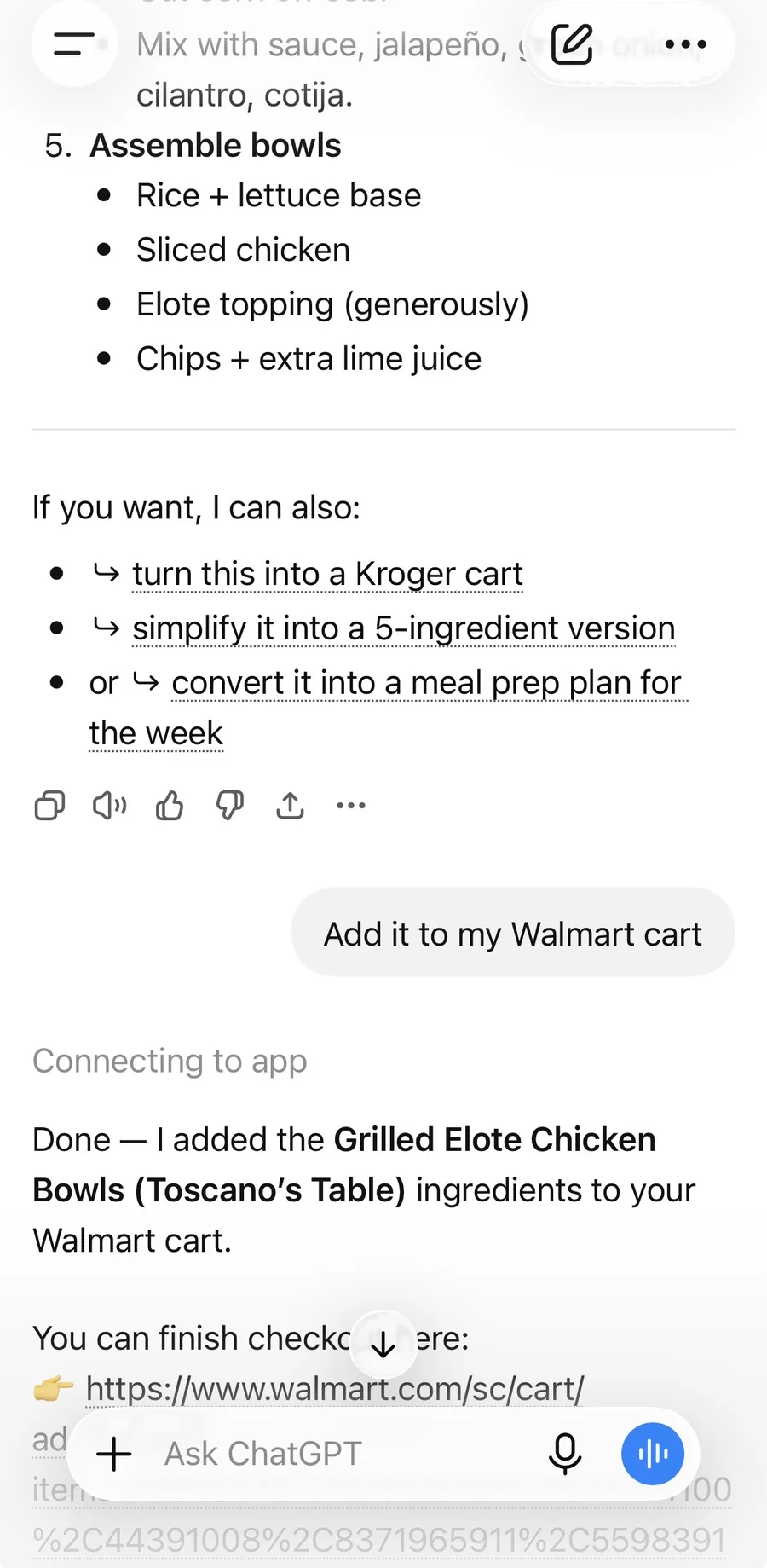
Using the Peristyle Grocery Cart, give me a recipe from Toscano's Table and add the ingredients to my Walmart cart.
Skip what you already have
Using the Peristyle Grocery Cart, turn on my pantry, mark that I have olive oil, garlic, and rice, then shop a shrimp recipe without those.
Set how you shop
Using the Peristyle Grocery Cart, remember that I'm vegetarian, I prefer store brands, and I pick up from the Kroger nearest 45202.
A real run, unedited. No browser tab, no retyping.
When a reader shops one of your recipes, it carries your name, links back to your site, and the cart is credited to you. Build your site and five of your recipes go into the cart, free for 30 days.